Android file and storage cleaner with integrated browsing tools
Experience File manager: View and Clean from GLOBAL SOFT .LTD, a compact utility designed to browse and tidy Android storage. The app merges a file explorer with junk and cache cleaning to reclaim space and manage media libraries directly on device. It offers internal and SD card access, integrated previews, storage analysis, and standard file operations. Android users who need straightforward local file control and periodic storage maintenance benefit from its focused, lightweight approach.
What does the app do?
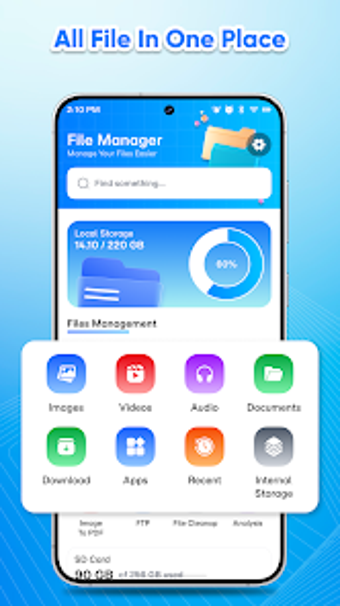
The app combines file browsing with targeted cleaning and device maintenance tasks. It handles internal and external SD storage and supports standard file operations. In practice it provides:
- Categorized media views for images, video, audio, and documents
- Integrated viewers for previews without switching apps
- Storage analysis tools to locate large files
- App management to inspect installed applications
Does it slow down your system during a scan?
Moreover, the tool presents a lightweight design aimed at mobile devices, so intensive background scans are not the stated focus. Storage analysis visualizations map occupied space rather than running deep sector-by-sector operations. In addition, its cleaning routines target cache and residual files, which typically reduce storage load rather than imposing prolonged CPU or memory use on modern Android handsets.
Is it safe to use on my device?
In addition, the app performs read and write operations on local storage to delete temporary cache and residual files, so it requires permission to access internal and external storage. Its cleaning feature identifies redundant data to reclaim space and can affect installed apps' leftover files. The app does not describe a dedicated read-only inspection mode in its feature list, so cleaning executes with granted storage permissions.
Is it easy to use for non-technical users?
Experience a compact, categorized interface that groups media and shows a visual map of storage, which reduces decision friction for casual users. Integrated previews prevent switching away to separate viewers. Nevertheless, app management and deeper storage analysis introduce more technical choices, so users should familiarise themselves with file operations like rename, move, and delete before performing bulk cleaning.
Practical for routine maintenance, but take care when deleting
The app is a practical choice for Android users who want a single tool for local file maintenance and routine storage housekeeping, given its compact approach. The principal caveat is the absence of an explicit backup or restore step before cleaning, which increases risk when removing system-related or app-generated files. Caution and manual review of selected items are advised beforehand.